Set RAG storage quotas
Overview
The RAG Storage Quota system allows administrators to control storage capacity for RAG (Retrieval-Augmented Generation) services through the Stack portal. Manage storage limits at the service level, tenant level, and set defaults for new services.
In the portal, open Manage platform, then Tenants to view tenant storage usage. Select the storage quota button in a tenant's row, enter a Quota, and select Save. Select Remove limit in the same dialog to clear the tenant-wide quota. This requires platform tenant-management permission.
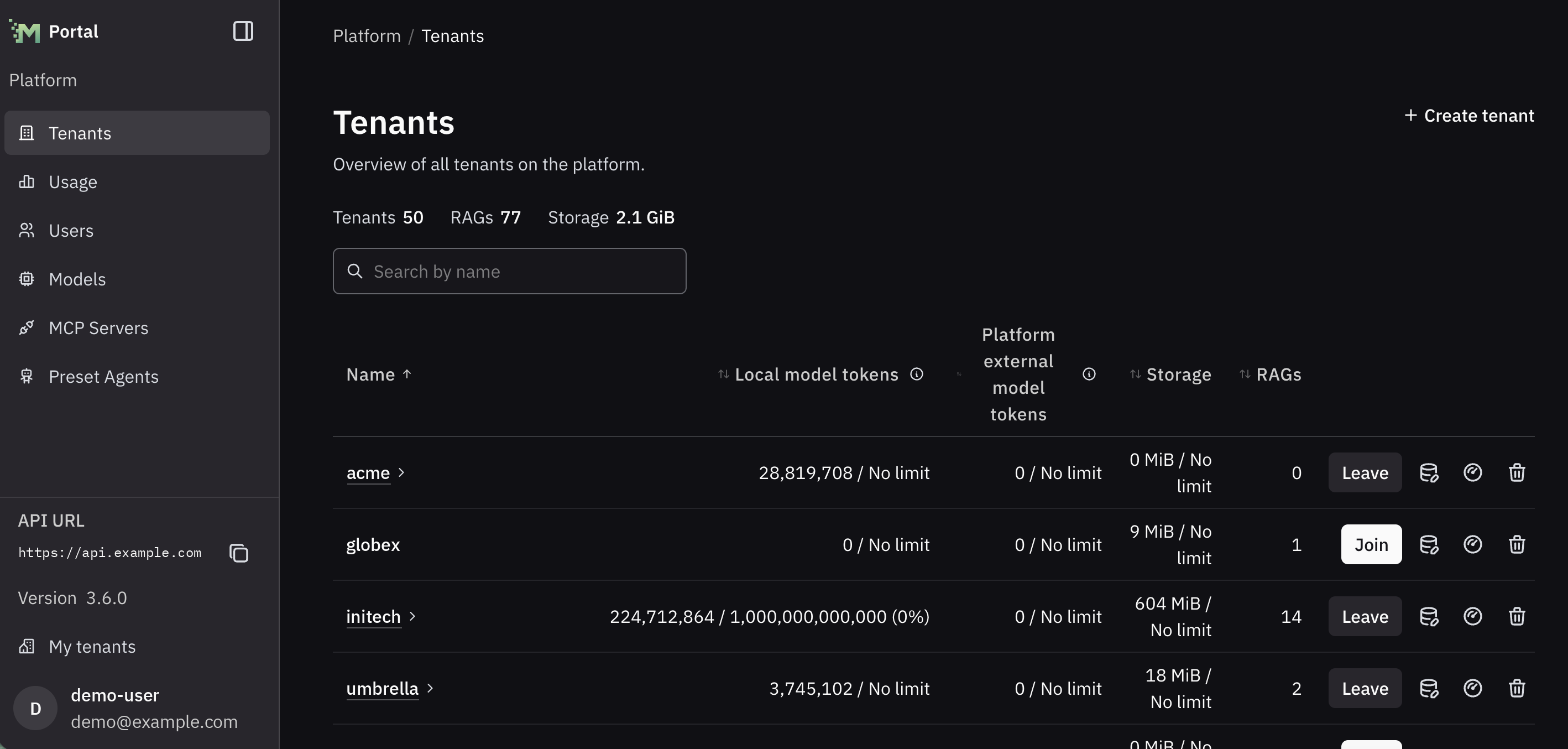
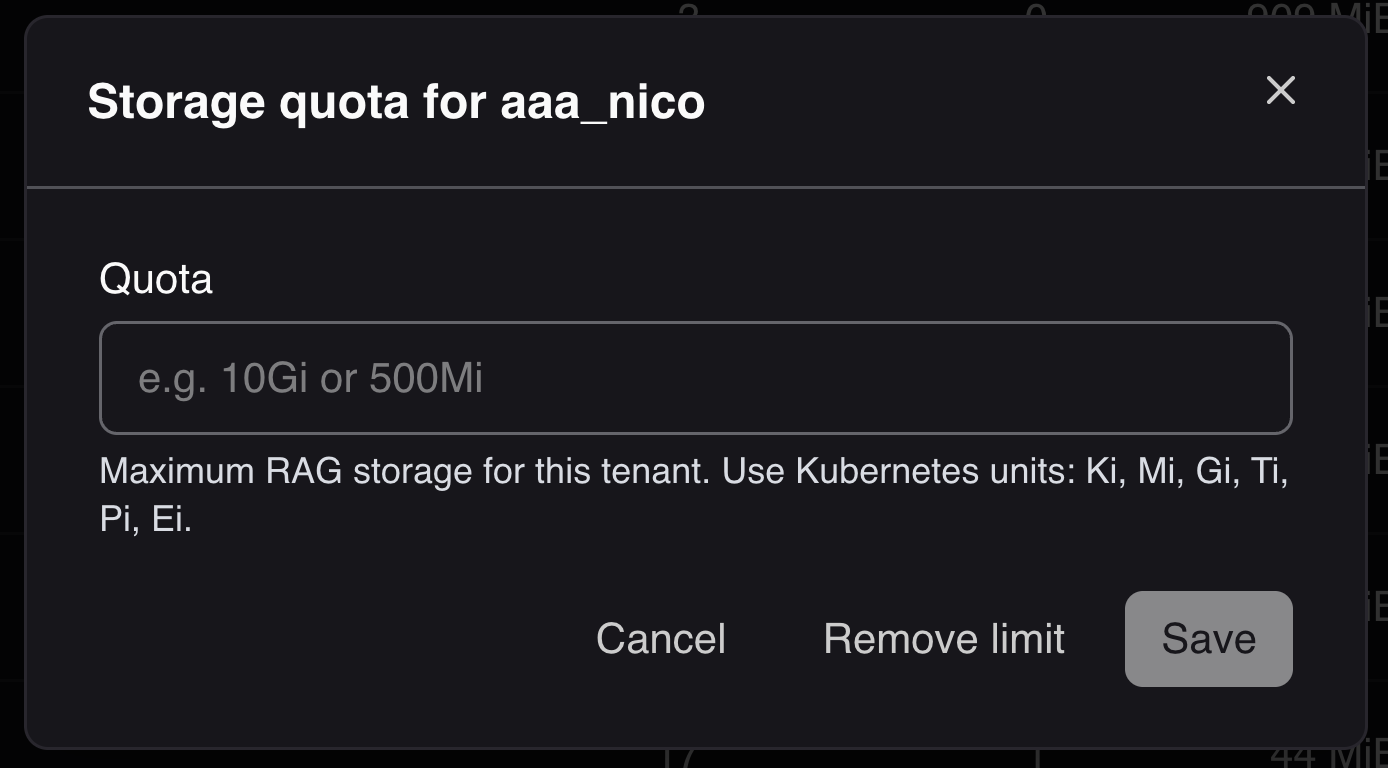
Storage management is available in the portal (Manage platform → Tenants): see how much storage each tenant uses and set a limit for a whole tenant.
Key Concepts
What Gets Limited
Storage quotas control the total database size for RAG services, including:
- Document content: Raw text and file data
- Vector embeddings: High-dimensional vectors for semantic search (HNSW indexes)
- Metadata: Document and chunk metadata stored as JSON
- Indexes: All database indexes including primary keys and vector indexes
Limit Types
- Service Quota: Limit for a specific RAG service instance
- Tenant Quota: Aggregate limit across all RAG services in a tenant
- Default Quota: Applied automatically to new RAG services in a tenant
How Limits Work
- No quota set: No limit (unlimited storage). To remove a quota through the API, use
UnsetQuotaorUnsetTenantQuota. Setting an empty value counts as0. - Zero (0): Storage disabled (all uploads rejected)
- Positive Numbers: Maximum allowed storage in bytes
Quota Format: Kubernetes quantity strings (e.g., "10G", "500Mi", "1Ti")
Storage limits are Kubernetes quantity strings (e.g. "10G", "500Mi", "1Ti").
Enforcement
Storage quotas are enforced at upload time:
- Uploads are allowed until usage reaches ≥95% quota
- Large file uploads are denied if estimated to exceed quota
- Both service and tenant quotas apply; an upload must fit the space left under each
- Usage tracked after operations complete
Quota Hierarchy
When both service and tenant quotas are configured, the platform compares the space left under each, not the quotas themselves:
- Service: the service quota minus what this endpoint already uses
- Tenant: the tenant quota minus what all the tenant's endpoints use together
- An upload must fit the smaller of the two
Because the tenant quota is shared, an endpoint can have less room than its own quota. Each limit also stops uploads at 95% of the quota, so the room shown below is slightly less in practice.
Examples:
| Service quota | Tenant quota | Room for this endpoint |
|---|---|---|
10Gi | 100Gi, other endpoints use 20Gi | Up to 10Gi (service limit) |
10Gi | 100Gi, other endpoints use 95Gi | None (tenant limit) |
| Not set | 100Gi | What's left of the shared 100Gi |
10Gi | Not set | Up to 10Gi |
| Not set | Not set | Unlimited |
0 | 100Gi | None (all uploads rejected) |